

TPMS Programming Tool: What It Does and Whether You Actually Need One
Programming vs relearn. Blank sensors vs pre-programmed. And the option that skips the tool entirely.
A TPMS programming tool is one of those purchases that feels necessary until you understand exactly when it is — and isn't — required. Most drivers who buy one never use it more than once, and many could have avoided the purchase entirely by choosing the right type of replacement sensor or monitoring system from the start. This guide clarifies what a programming tool actually does, the scenarios where it's genuinely needed, and the scenarios where it isn't.
Programming vs Relearn: The Critical Distinction
These two terms are often used interchangeably and refer to completely different procedures.
| Procedure | What It Does | Tool Required? |
|---|---|---|
| TPMS Programming | Writes vehicle-specific protocol to a blank universal sensor chip, making it recognizable to that vehicle's ECU | Yes — programming tool required |
| TPMS Relearn | Registers sensor positions to the ECU (tells the car which sensor is at which wheel location) | Depends on vehicle — sometimes no tool needed |
| External Aftermarket Pairing | Pairs external cap-style sensors to a standalone monitor — no ECU involvement | No tool — built-in pairing mode on monitor |
A driver who buys a blank universal sensor needs a programming tool before the sensor will work. A driver who buys a pre-programmed vehicle-specific sensor needs only a relearn procedure. A driver installing an external aftermarket system needs neither — sensors pair directly to the monitor.
When You Actually Need a TPMS Programming Tool
Installing blank or universal sensors: Blank sensors are cheaper to stock because one part number can serve multiple vehicles — but they require programming with the vehicle's specific protocol before the ECU will recognize them. This is the primary use case for a programming tool.
Cloning a failing sensor: When a sensor is physically damaged but still transmitting, a programming tool can clone its ID to a new blank sensor, preserving the existing registration in the ECU and eliminating the need for a full relearn procedure.
Diagnosing sensor communication issues: Professional TPMS tools read sensor data, check battery status, and verify transmission frequency — useful for diagnosing whether a problem is in the sensor, the receiver, or the ECU.
TPMS Programming Tool Cost and Options
| Tool Type | Cost | Vehicle Coverage | Best For |
|---|---|---|---|
| Basic Programmer (1–2 makes) | $80–$150 | Limited domestic | Single vehicle, occasional use |
| Mid-Range Programmer | $150–$300 | Most domestic + common imports | Multi-vehicle DIY users |
| Professional Tool (Autel, Bartec) | $300–$700+ | All makes including European luxury | Shop or heavy DIY use |
| Shop Programming Service | $20–$50/sensor | All makes (shop has professional tool) | One-time use — most cost-effective |
The Tool-Free Alternative: External Aftermarket TPMS
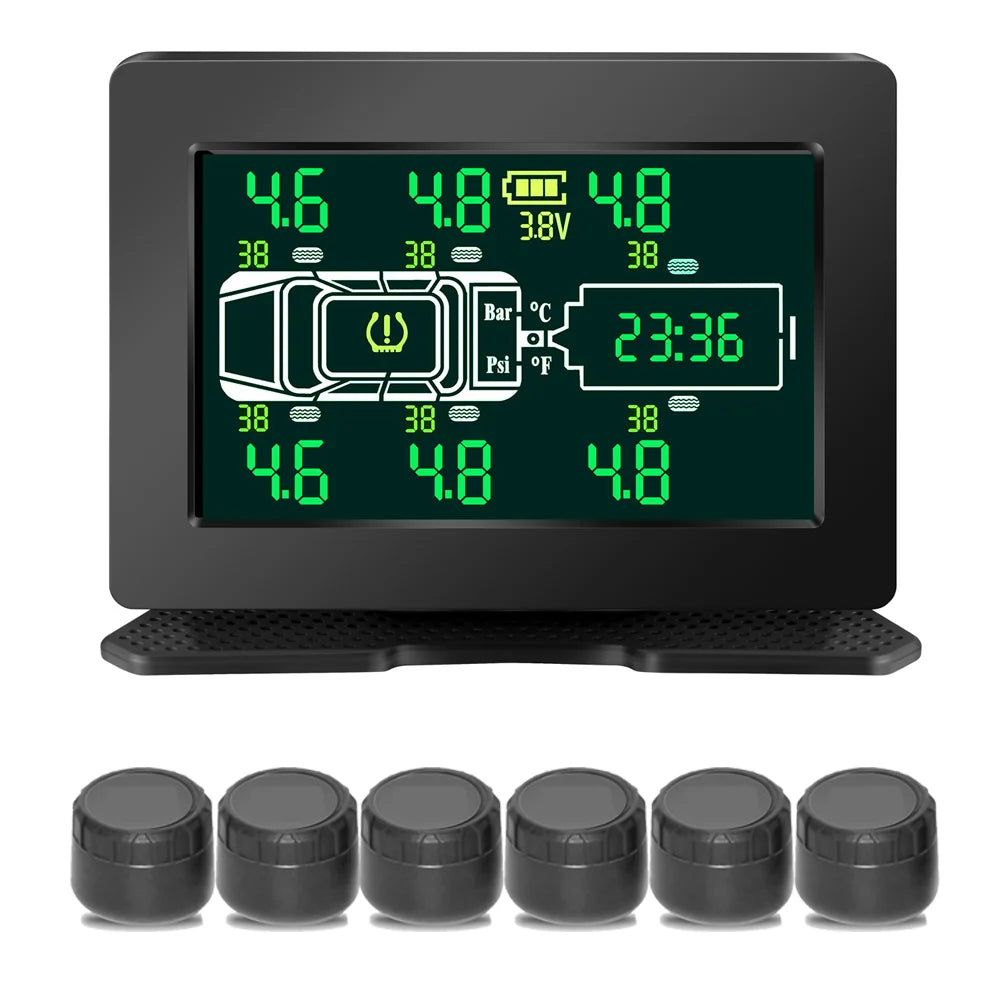
External cap-style TPMS systems operate entirely independently of the vehicle's ECU. No programming tool, no relearn procedure, no shop visit required. Sensors thread onto valve stems and pair to a standalone monitor display via a built-in pairing mode that takes 5 minutes.

Grundig RV TPMS
4/6/8-Wheel
Pairs directly to the standalone monitor — no ECU connection, no programming tool, no shop visit. Works on any vehicle regardless of make or model. Move to a new vehicle and re-pair in 5 minutes. 116 PSI, real-time display, free shipping.
$119 Free shipping
Shop Now →Frequently Asked Questions
What does a TPMS programming tool do?
It programs vehicle-specific sensor protocols onto blank universal sensor chips, clones existing sensor IDs to replacement units, and registers sensor positions to the vehicle ECU. Required when installing blank sensors that are not pre-programmed for your specific vehicle.
Do I need a TPMS programming tool to install new sensors?
Only if installing blank/universal internal sensors. Pre-programmed OEM-equivalent sensors require only a relearn procedure. External cap-style aftermarket systems require no programming tool — they pair to their own monitor independently of the vehicle ECU.
How much does a TPMS programming tool cost?
$80–$150 for basic single-make tools; $150–$300 for mid-range multi-make coverage; $300–$700+ for professional all-make tools. Having a shop program sensors costs $20–$50 per sensor — more economical for occasional one-time use.
What is the difference between a TPMS relearn tool and programming tool?
A relearn tool registers which sensor is at which wheel position. A programming tool writes the vehicle protocol to a blank sensor chip. A full programmer does both. Many vehicles support relearn without a tool; programming always requires a tool or shop service.
Can I avoid needing a TPMS programming tool?
Yes. Buy pre-programmed vehicle-specific sensors (relearn only, no programming). Or install an external cap-style aftermarket system that operates independently of the vehicle ECU — no programming, no relearn tool, pairs to its own monitor in 5 minutes.
No programming tool needed — pairs to its own monitor in minutes. Works on any vehicle · $119 · Free shipping · 20-min install
Shop All TPMS →